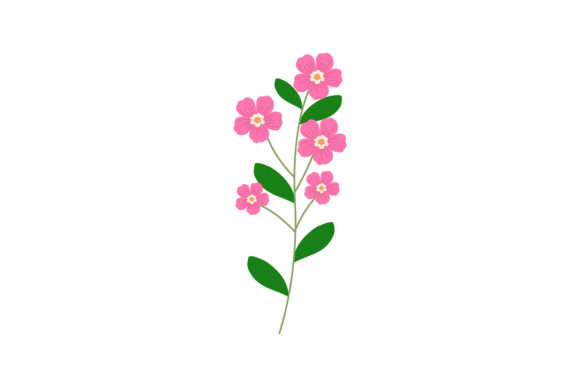
Bringing Spring Flowers to Your Digital Projects
Spring Floral Bloom is a versatile, high-quality digital design collection featuring classic springtime flowers and botanicals. In simple terms, it's a ready-made artistic toolkit. Think of it as a box full of beautifully drawn flowers, blossoms, and greenery that you can use immediately in your own work. You don't need to be an artist to access these elegant designs; you just need a project that needs a touch of natural beauty.
A Collection Designed for Flexibility
The main purpose of Spring Floral Bloom is to provide a creative shortcut. Its primary characteristic is versatility, made possible by the variety of file formats included. You receive the same lovely floral artwork in six different technical formats: AI, EPS, SVG, JPG, PNG, and DXF. Each format serves a different kind of software or purpose, ensuring you have the right key for your particular creative door.
The value of this collection lies in its blend of aesthetic appeal and practical utility. The designs have a gentle, classic spring appeal—perfect for evoking freshness, growth, and renewal. More importantly, they are guaranteed to be easy to use and editable. This means you can change colors, resize elements, combine pieces, and adapt the artwork to fit your exact vision, rather than being stuck with a static, unchangeable image.
Why Spring Floral Bloom Resonates with Creators
People are drawn to Spring Floral Bloom for several key reasons. It solves the problem of limited time or design skills. Not everyone can draw perfect roses or daffodils, but many projects require that visual language. It supports the goal of creating professional, attractive content without hiring a designer. It meets the need for cohesive, thematic artwork that can be adapted across multiple materials.
Whether you're a beginner looking for straightforward design elements, a marketer needing quick social media graphics, or a small business owner crafting your own branding, this collection provides a reliable foundation. The appeal is universal: flowers are a welcoming, positive motif that connects with wide audiences, making them a safe and effective choice for many types of communication.
Practical Applications in Work and Life
Consider where you might use a floral theme. The Spring Floral Bloom collection can be applied in surprisingly diverse contexts. A blogger might use the SVG files to create a custom floral header for their website. An educator could incorporate the PNGs into spring-themed lesson materials or presentations. A freelancer designing a client's wedding invitations could edit the AI files to match the wedding colors perfectly.
For commercial use, imagine a small boutique using the EPS files to create branded shopping bags or tags. An entrepreneur launching a natural skincare line could use the JPGs for product label mock-ups. The DXF format is particularly useful for those involved in crafting, like hobbyists with vinyl cutters or laser engravers, who can turn the designs into physical items like decorated wooden signs or fabric patterns.
The canvas size of 1920px by 1280px in each format is a practical detail. This is a generous, high-resolution starting point. It’s large enough for most digital screens and print projects, giving you room to scale down for smaller items like icons or scale up for larger items like posters, without losing crisp detail.
Getting Started with Your Digital Florals
Before diving in, it's helpful to consider which file format aligns with your tools and skill level. If you use Adobe Illustrator, the AI file is your native starting point. For vector work in other programs like CorelDRAW or Affinity Designer, the EPS or SVG files are ideal. If you simply need to place a beautiful picture into a document, website, or simple editing app, the JPG or PNG files are ready-to-use images. The DXF file is a specialist format for CAD and cutting machines.
A beginner-friendly approach is to start with the PNG. Open it in any basic program, place it on your project, and see how it looks. As you become more confident, you might explore the vector files (AI, EPS, SVG) to unlock true editing power—changing a tulip from yellow to purple, or isolating a single leaf from a larger branch. The key is to match the format to your software’s capabilities.
Making the Most of Your Purchase
Remember that these are building blocks, not finished products. The real magic happens when you integrate Spring Floral Bloom with your own ideas. Combine two floral elements to create a new border. Use a subtle blossom as a watermark on your photographs. Extract a color palette from the artwork to theme your entire project. Because the designs are editable, they encourage experimentation.
For professionals, this collection saves hours of sourcing or creating individual assets. It provides a consistent visual library. For casual users and hobbyists, it opens doors to creative projects that might have seemed too difficult before. The guarantee of ease-of-use means you can focus on your application—the invitation, the website, the product label—rather than struggling with complicated design software.
Ultimately, Spring Floral Bloom is more than just a set of flower pictures. It is a resource for adding a proven, pleasant, and professional aesthetic to your world. Whether your project is personal, educational, or commercial, these editable spring florals offer a path to a more beautiful result, letting you concentrate on your message while the design foundation is already gracefully in place.